
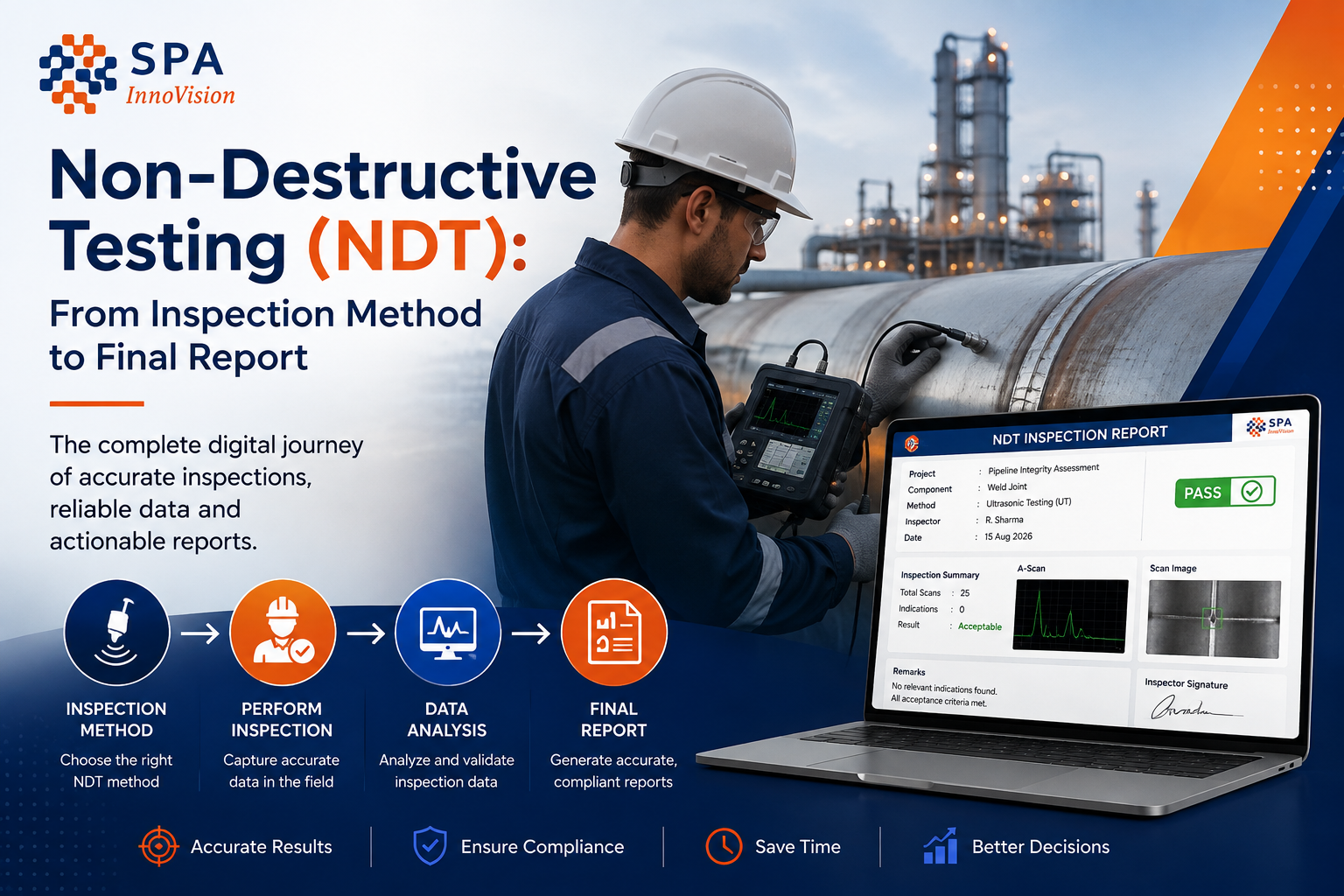
Non-Destructive Testing (NDT): From Inspection Method to Final Report
Non-destructive testing may look like one step in an industrial inspection, but the actual process is much wider. Before a technician starts a test, the team needs to know what will be inspected, which method to use, who will carry out the work and what records the client needs. After the test, the findings still need to be checked, approved and turned into a clear report.
This makes NDT both a technical process and an information process. The quality of the test matters, but so does the way its data moves from the field to the final report. When those steps are not linked, teams can spend more time finding data, checking files and fixing reports than they expect.
Key Takeaways
- Non-destructive testing checks materials, parts or structures without making them unusable.
- Common NDT methods include UT, RT, MT, PT, VT and electromagnetic testing.
- The right NDT method depends on the material, type of flaw, access and inspection goal.
- A complete NDT process includes planning, testing, recording, review, approval and reporting.
- Digital NDT workflows can help keep field data, photos, equipment details and reports linked.
- NDT inspection software becomes more useful as teams manage more jobs, sites, technicians and client formats.
What Is Non-Destructive Testing?
Non-destructive testing, or NDT, is used to find and assess flaws in materials, parts and structures without damaging the item being checked. It plays an important role in quality control, asset care and safe operation across many industries. The British Institute of Non-Destructive Testing describes NDT as the field concerned with methods used to detect and assess flaws in materials.
NDT is used because many assets cannot be cut open, broken or removed from service each time they need to be checked. The aim is to collect useful information while keeping the part fit for use. This is common in sectors such as oil and gas, manufacturing, power, construction and aerospace.
Common NDT Methods and What They Are Used For
There is no single NDT method that works best in every case. The method depends on the material, the type and location of the possible flaw, the shape of the part and the inspection goal. ASNT lists methods such as ultrasonic, radiographic, magnetic particle, liquid penetrant, electromagnetic and visual testing among widely used NDT methods.
| NDT Method | Common Use | Main Strength |
| Visual Testing (VT) | Surface checks and first-stage inspection | Simple way to find visible surface issues |
| Liquid Penetrant Testing (PT) | Solid, non-porous materials | Finds surface-breaking flaws |
| Magnetic Particle Testing (MT) | Ferromagnetic materials | Finds surface and near-surface flaws |
| Ultrasonic Testing (UT) | Welds and industrial parts | Can detect and measure internal flaws |
| Radiographic Testing (RT) | Welds, castings and assemblies | Creates an image of internal features |
| Electromagnetic Testing (ET) | Conductive materials | Detects surface and near-surface flaws |
Visual testing is often the simplest starting point because it allows a direct check of the surface. Ultrasonic testing uses high-frequency sound waves to gather information about the inside of a part, while magnetic particle testing is used on ferromagnetic materials to reveal surface and near-surface flaws. Liquid penetrant testing uses a liquid that enters surface-breaking defects and makes them easier to see.
The method should match the inspection need. A team looking for an internal flaw in a weld may choose a different method from a team checking a surface for fine cracks. In some cases, more than one method may be used to build a clearer view of the asset.
What Does the NDT Inspection Process Look Like?
The physical test is only one part of an NDT job. A full inspection usually begins with planning and ends when the approved report and supporting records are stored. The steps will vary by company and project, but the overall flow is often similar.
| Stage | What Happens | Main Output |
| Planning | Scope, site and inspection needs are defined | Inspection plan |
| Method selection | Suitable NDT method is chosen | Test method |
| Resource planning | Technician and equipment needs are checked | Job readiness |
| Field inspection | NDT test is carried out | Readings and observations |
| Evidence capture | Photos, notes and test data are recorded | Inspection record |
| Review | Results and records are checked | Reviewed findings |
| Approval | Required changes and sign-off are completed | Approved inspection |
| Reporting | Findings are put into the required format | NDT report |
| Record keeping | Reports and related data are stored | Inspection history |
The important point is that information should not have to start again at each step. If a project name, site, technician or asset has already been recorded, that data should be available later in the process. Re-entering the same details creates more work and adds more chances for mistakes.
What Should an NDT Inspection Record Contain?
A test result is useful only when people can understand its context. A reading without the asset name, location or method may be hard to use later. A photo without a clear link to the right inspection can create the same problem.
A strong inspection record should help another person understand what was checked, how it was checked and what happened after the test. The exact fields depend on the job, but the core record often includes the following information.
| Information | Why It Matters |
| Project and site | Shows where the work belongs |
| Asset or component | Shows what was inspected |
| NDT method | Shows how it was inspected |
| Technician | Supports personnel traceability |
| Equipment | Records what was used |
| Calibration details | Supports equipment traceability |
| Readings and findings | Captures the result |
| Photos and files | Supports the finding |
| Review status | Shows QA/QC progress |
| Approval | Records sign-off |
| Final report | Provides the client record |
Keeping these items linked can make later review much easier. It also reduces the need to search through email, folders or separate systems when a client asks a question about an older inspection.
Why Does NDT Reporting Often Take So Long?
A technician may finish an inspection in the field, but the report can still take much longer to complete. The delay often comes from the steps between the test and the final report. Results may sit in one file, photos in another place and project details in a spreadsheet.
The reporting team then has to bring the pieces back together. A missing field may lead to a call to the inspector. An unclear image may need to be checked. QA may send the record back for a change, and approved results may still need to be typed into a client template.
In this case, the report is not the only problem. The larger issue is the path the inspection data takes before the report is created. A better report template will not fix missing field data or disconnected evidence.
Paperless Does Not Always Mean Connected
Many teams have already moved away from paper, but this does not always mean they have a connected NDT process. A technician may use a tablet while photos stay in a separate folder and QA comments still move through email. The process is digital, but the information remains split.
A connected workflow is different because data moves with the inspection. Project details can stay linked to the field record, evidence can stay linked to findings, and approved data can move into the report without being entered again.
| Fragmented Workflow | Connected Workflow |
| Project data entered more than once | Project data carries into later steps |
| Photos stored separately | Photos stay with the inspection |
| Review handled through email | Review follows a clear workflow |
| Several report versions | Changes stay linked to one record |
| Data typed again for reporting | Approved data can be reused |
| Old files searched by hand | Inspection history is easier to find |
This difference becomes more important as the number of jobs grows. A small team may be able to manage separate files through habit and experience. The same process becomes harder when many technicians, sites and clients are active at the same time.
Why Offline Inspection Matters
NDT work does not always happen in places with strong internet access. Inspectors may work in plants, yards, remote sites or other areas where a connection can drop. If an inspection app stops working without the internet, the field team often creates a temporary process.
That may mean taking notes on paper, saving photos separately or entering data again later. Each workaround creates another break in the record. For this reason, teams that work in low-connectivity areas should test offline use before they choose inspection software.
InspectO, for example, supports offline field work. Inspectors can capture test results, photos and signatures without a live connection, then sync the data when they are back online.
Where Does NDT Inspection Software Fit?
NDT software can mean different things. Some tools work close to the test itself and help technicians collect or analyse test data. Other systems focus on reporting, while inspection management platforms cover a wider part of the job.
Inspection management software becomes more useful when the problem goes beyond one test or one report. Teams may need to plan projects, assign technicians, manage equipment, collect field data, control reviews and issue reports across several jobs at once.
This is where a connected system can reduce handoffs. Instead of treating planning, field inspection and reporting as separate jobs, the aim is to keep the same inspection record moving through the process.
Where InspectO Fits in the NDT Process
InspectO is SPA InnoVision’s NDT inspection workflow and project management platform. It is built for inspection service providers, industrial QA/QC teams and asset integrity professionals. The platform covers work from project planning and test execution through compliance and reporting.
InspectO supports conventional methods such as UT, MT, PT, RT and VT, along with advanced methods including PAUT, TOFD and ECT. It also includes technician assignment, project and site management, equipment and calibration tracking, configurable reports, scheduling and offline field inspection.
The value of these features depends on the problem a team needs to solve. A business that only needs a better report template may not need a full inspection workflow. A business that is managing many jobs, technicians, sites and report formats may need more control before the reporting stage.
How to Check If Your NDT Workflow Needs to Change
Start with one real inspection that your team completed recently. Follow it from the first client request to the final approved report and note every place where information changes hands. Pay attention to repeated data entry, missing photos, report changes, approval delays and time spent asking for job status.
This simple review often shows where the real problem sits. If most of the delay comes at the final report stage, reporting may be the main issue. If problems appear from planning through field work and QA, a broader inspection workflow may need attention.
The best software decision starts with that process, not with a long feature list. A product is useful when it removes real steps that slow the team down.
Frequently Asked Questions
What is non-destructive testing?
Non-destructive testing is a group of methods used to check materials, parts and structures for flaws without making the item unusable. NDT is widely used for quality control, safety and asset inspection.
What are the most common NDT methods?
Common NDT methods include visual testing, liquid penetrant testing, magnetic particle testing, ultrasonic testing, radiographic testing and electromagnetic testing. Each method is suited to different materials and types of flaws.
What is the NDT inspection process?
The process usually covers planning, method selection, technician and equipment preparation, field testing, evidence capture, review, approval and reporting. The exact steps depend on the type of inspection and the rules used by the organisation.
What is NDT inspection software?
NDT inspection software helps teams manage digital records around non-destructive testing. Depending on the product, it may support field data capture, project planning, technician assignment, evidence, reporting, approvals and inspection history.
Can NDT inspection software work offline?
Some platforms support offline inspection. InspectO allows field teams to capture test results, photos and signatures without connectivity and sync them when a connection becomes available.
From a Good Test to a Good Inspection Record
A successful NDT job does not end when the technician finds or clears a flaw. The result still needs to stay linked to the right project, asset, technician, equipment, evidence and approval. That record is what the client, QA team and future inspector may depend on later.
For growing inspection teams, this is where digital workflow matters most. The goal is not to add software to every step. It is to reduce the gaps between the steps that already exist.
If your team is spending too much time moving inspection data between field work, QA and reporting, see how InspectO can connect the process from site to final report.