How InspectO Takes an NDT Job From Planning to an Audit-Ready Report
Key Takeaways
- InspectO connects NDT project planning, technician assignment, field data capture, review and reporting within one workflow.
- Inspectors can capture test results, photos and signatures offline and sync the information when connectivity returns.
- Inspection records stay connected to projects, sites, technicians, equipment and reporting workflows rather than being spread across separate files.
- Configurable reporting and approval workflows help QA/QC teams standardise how inspection records move from the field to final delivery.
- InspectO is most valuable when the problem is bigger than creating a report — when teams need control over the entire inspection operation.
An NDT test may happen in the field, but the work around that test stretches much further.
A technician has to know what needs to be inspected. The right personnel and equipment have to be available. Readings, photographs and observations need to be recorded against the correct job. Someone may need to review or reject the findings. A client-specific report then has to be assembled, approved and delivered.
When every part of that process sits in a different spreadsheet, folder, email thread or application, a technically sound inspection can still become an operational headache.
InspectO is designed around that larger workflow.
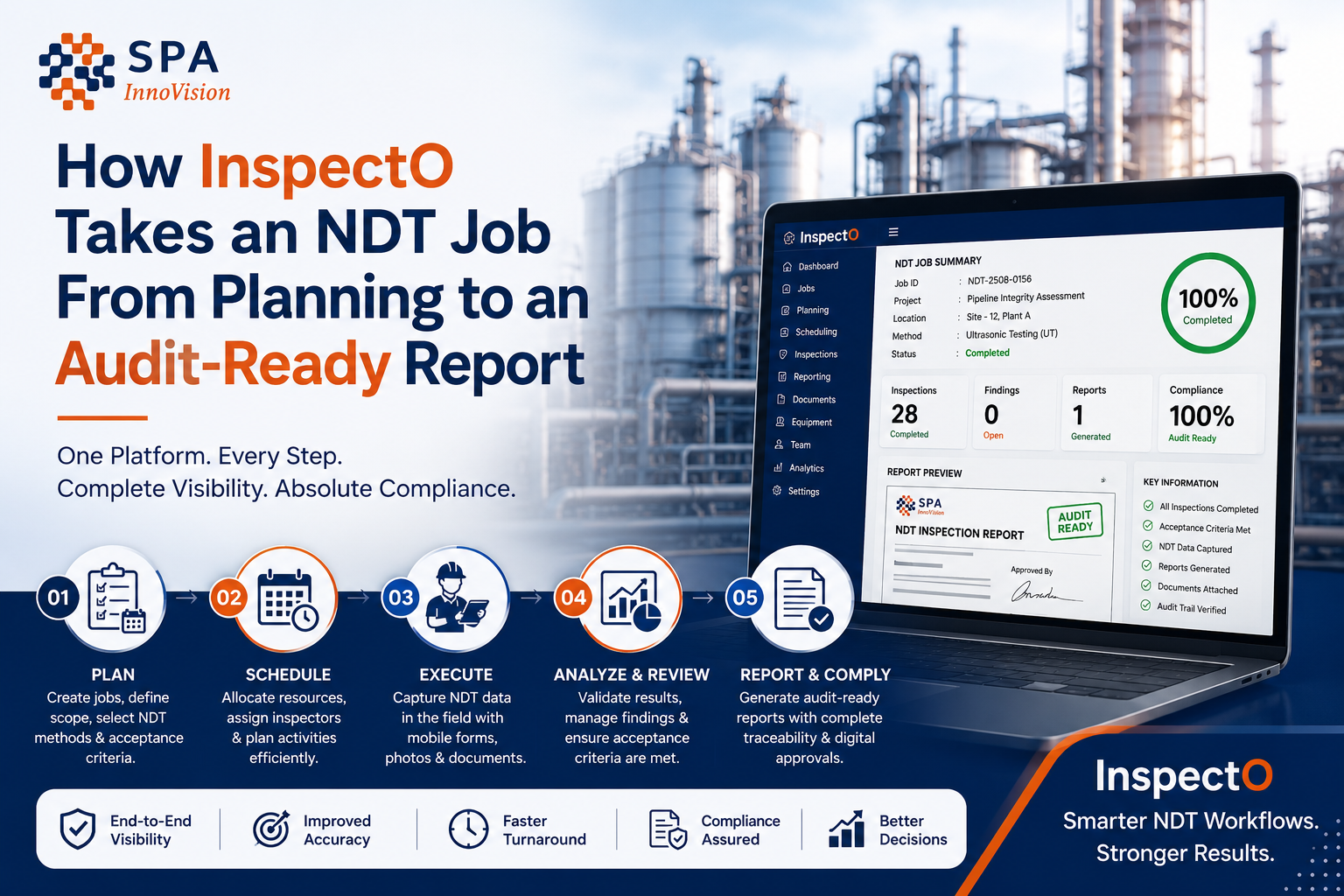
Rather than treating inspection reporting as the final administrative step, the platform connects the work from planning and assignment through field execution, approval and final reporting.
SPA InnoVision states that InspectO supports conventional and advanced NDT methods, project and site management, configurable reporting, scheduling, compliance workflows and offline mobile inspection.
The NDT Test Is Only One Part of the Job
Consider what has to travel with a single inspection result.
| Inspection Record | What Needs to Stay Connected |
| Job | Client, project, site and inspection scope |
| Inspector | Technician details, access and relevant records |
| Equipment | Inspection equipment, calibration information and availability |
| Test | Method, readings, observations and results |
| Evidence | Images, attachments and signatures |
| Review | Comments, corrections, approvals and sign-off |
| Report | Required format, supporting evidence and final output |
| History | Previous inspection and project records |
The problem with a fragmented inspection process is not simply that it uses paper.
It is that context keeps getting separated from the inspection itself.
A reading may be correct, but which equipment was used? A photograph may show a defect, but which location or test does it belong to? A report may have been approved, but which revision is the latest?
The more jobs, technicians, sites and clients an inspection company manages, the harder those questions become to answer consistently.
What an InspectO Workflow Looks Like
The job starts with context, not a blank report
Inspection management should begin before a technician reaches the site.
Within InspectO, teams can manage projects and sites, allocate resources, assign technicians and organise project documentation. Scheduling and task assignment are therefore connected to the actual inspection operation rather than maintained as a separate administrative exercise.
This matters because the quality of the final record depends heavily on what was defined at the beginning.
The field team should know what they are inspecting, where they are inspecting it and what information is expected back.
The field record is created where the inspection happens
Field work does not always happen somewhere with dependable connectivity.
Inspection teams work in plants, yards, construction sites and remote locations where assuming constant internet access can make a digital system less practical than the paper process it was supposed to replace.
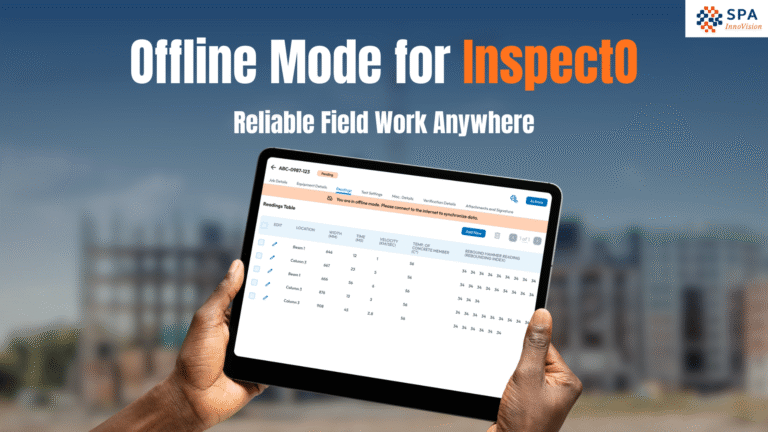
InspectO provides tablet-based offline operation so technicians can capture inspection data, photographs and signatures without a live connection and sync that information when connectivity is restored.
That changes an important part of the workflow.
Instead of collecting information in the field and recreating it later in the office, the inspection record can begin at the source.
Inspection evidence stays with the inspection
A useful inspection record is more than a final result.
The supporting information matters too.
InspectO supports structured test data and configurable reports with items such as defect logs, photographs, machine-report attachments and sign-off workflows.
For an operations team, that means less time trying to reconstruct the story of an inspection after the technician has left the site.
For a QA/QC team, it means the record being reviewed is closer to the work that actually happened.
Where InspectO Changes the Workflow
| Stage | Fragmented Process | InspectO Workflow |
| Planning | Jobs and resources maintained separately | Project, site and task information managed within the workflow |
| Assignment | Technician allocation through calls or spreadsheets | Scheduled task and technician assignment |
| Field execution | Paper forms or disconnected files | Structured digital inspection capture |
| Low-connectivity work | Information entered again later | Offline capture with later sync |
| Evidence | Photos and attachments stored separately | Evidence connected to the inspection record |
| Review | Reports circulated manually | Configurable review and approval workflows |
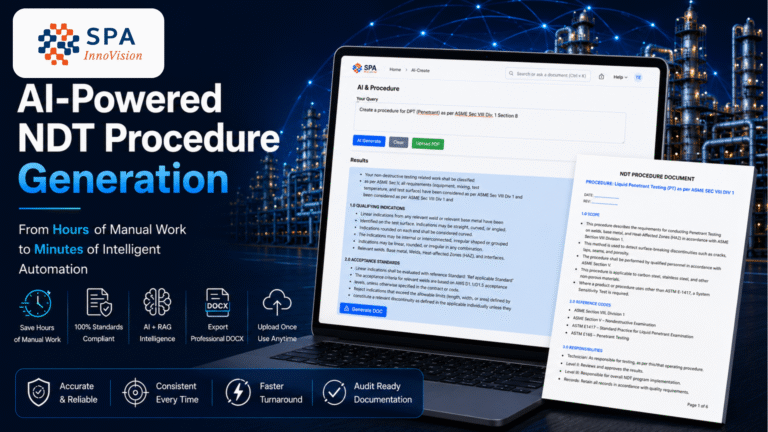
| Reporting | Information copied into report templates | Structured, configurable report generation |
| Client handover | PDFs exchanged through multiple email threads | Client portal and controlled report access |
| History | Previous records searched manually | Project and inspection history retained centrally |
Reporting Should Be the Output of the Workflow, Not a Reconstruction of It
This is where many inspection digitisation projects miss the point.
Replacing a Word document with a digital form does not necessarily create a digital inspection workflow.
If the technician still enters information twice, QA still searches for missing evidence and the final report still has to be manually reconstructed, the organisation has digitised the form rather than the process.
A stronger workflow carries information forward.
The job details entered during planning should not have to be recreated during inspection. The inspection results should not have to be manually transferred before review. Approved information should flow into the final reporting process without another round of copying.
That continuity is where inspection workflow management becomes useful.
What Different Teams Need From the Same Inspection Record
Inspection software is rarely used by only one type of person.
| User | What They Need |
| Field Technician | Clear tasks, practical data capture and access in low-connectivity environments |
| Supervisor | Visibility into job status, workload and outstanding inspections |
| QA/QC Team | Structured review, evidence and approval control |
| Operations Manager | Project, resource and inspection visibility across sites |
| Client | Timely access to inspection records and reports |
| Management | Better visibility into jobs, utilisation, cost and delivery |
InspectO brings several of these functions into the same platform, including project/site management, scheduling, inspection workflows, client reporting and job-cost tracking.
That is a different proposition from software designed only to generate an NDT report.
Digital Inspection Should Not Turn Inspectors Into Data-Entry Operators
There is an understandable objection to inspection software:
Will this simply give the technician more fields to complete?
That is the wrong outcome.
A field system should reduce re-entry and administrative work, not push office processes onto inspectors.
The practical test is simple: can the technician capture what is needed during the inspection in a way that the rest of the organisation can actually use?
If the answer is yes, the same record can support review, reporting and traceability downstream.
If the answer is no, the team will eventually return to spreadsheets, notes and workarounds regardless of how sophisticated the software looks.
Offline Inspection Is a Workflow Requirement, Not Just a Mobile Feature
“Works on mobile” and “works in the field” are not the same thing.
A browser-based form that stops functioning when connectivity disappears is of limited value to teams working across remote or restricted locations.
InspectO’s offline capability allows field inspectors to continue capturing information and synchronise it later.
The important part is not the offline badge itself.
It is maintaining continuity between:
site work → captured evidence → office review → final report
without forcing the team to create a second temporary process whenever the internet disappears.
When Is InspectO Worth Evaluating?
InspectO makes the strongest case when an organisation is trying to manage the inspection operation, not merely create a PDF.
For example, when:
- multiple NDT jobs are running at the same time
- technicians operate across different projects or sites
- inspection evidence needs to remain traceable
- equipment and calibration records need tighter control
- client reporting formats differ
- inspectors work in low-connectivity locations
- QA/QC review involves several stages
- management needs visibility beyond the final report
In that environment, the real question is not:
“Can this software create an NDT report?”
It is:
“Can this software keep the complete inspection workflow connected?”
That is the problem InspectO is designed to solve.
A Better Way to Evaluate InspectO
Do not evaluate inspection software using a generic demo.
Take one real job from your own business.
Start with the moment the job is received.
Follow it through technician allocation, equipment requirements, inspection execution, evidence capture, review, correction, approval and client reporting.
Then compare the number of handoffs, files and manual steps in your current workflow with the same job inside InspectO.
That will tell you considerably more than a feature checklist.
Suggested Demo Evaluation
| Your Current Process | What to Test in InspectO |
| Job planning in spreadsheets | Project and site management |
| Technician scheduling manually | Scheduling and task assignment |
| Paper or separate field forms | Structured mobile inspection |
| Remote-site inspections | Offline capture and syncing |
| Photos stored separately | Attached inspection evidence |
| Manual report preparation | Configurable report workflows |
| Email-based approvals | Review and sign-off workflow |
| Separate client updates | Client portal |
| Disconnected equipment records | Store, equipment and calibration tracking |
Frequently Asked Questions
What is InspectO?
InspectO is SPA InnoVision’s inspection and project management platform built for NDT and industrial inspection workflows. It connects activities such as project management, technician assignment, field inspection, reporting and compliance tracking.
Does InspectO support NDT methods?
Yes. SPA InnoVision states that InspectO supports conventional and advanced methods including UT, RT, MT, PT, VT, PAUT, TOFD and ECT, among others.
Can InspectO be used for offline inspections?
Yes. Inspectors can capture test information, photographs and signatures offline and synchronise the data after connectivity returns.
Can InspectO generate customised inspection reports?
InspectO supports configurable report templates including branding, test summaries, defect information, images, attachments and approval workflows, with PDF and Word export options.
Who is InspectO designed for?
The platform is positioned for NDT inspection service providers, industrial QA/QC teams, asset integrity teams and organisations managing inspection activity across projects or sites.
Take One Real Inspection Workflow and Put InspectO to the Test
The easiest way to judge inspection software is not by counting features.
Bring one of your existing inspection jobs — including the current form, approval process and final report — and see how the complete workflow would run inside InspectO.
Explore InspectO NDT inspection software or book a workflow demo with SPA InnoVision.