
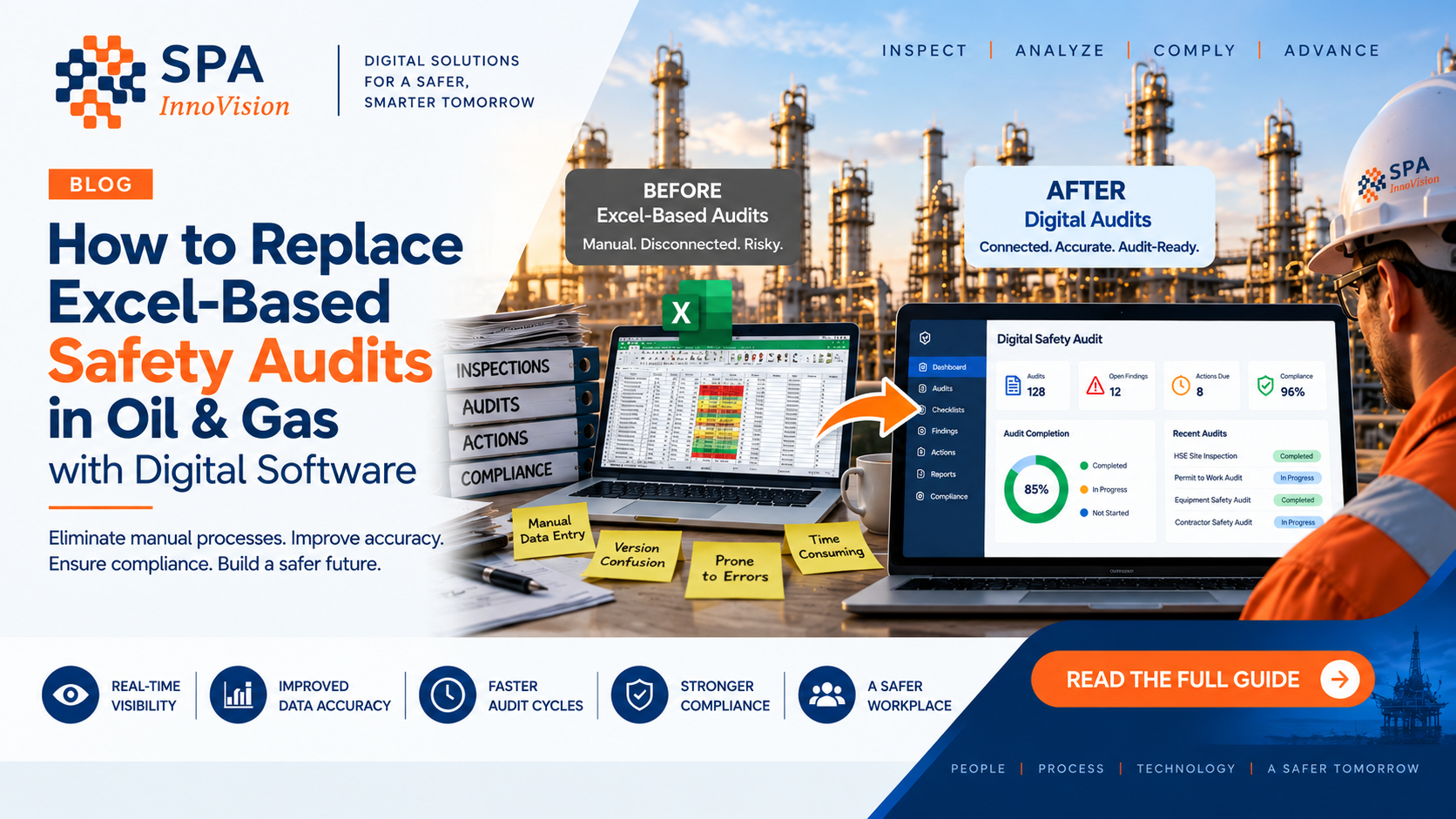
How to Replace Excel-Based Safety Audits in Oil & Gas with Digital Software
Key Takeaways
- Several safety-audit questions your site already ranks position 2–8 for are getting zero clicks — the fix is content, not rankings.
- Excel breaks down for safety audits because it’s a spreadsheet tool being forced to run a workflow: no real-time alerts, weak audit trails, and constant version conflicts.
- The most efficient audit programs capture data once at the source, generate reports automatically, and alert the right person the moment a critical finding is logged.
- Migrating off Excel works best as a phased pilot: digitize your existing checklist, run it on one site, then compare results before a full rollout.
- Offline mobile capability is non-negotiable for oilfield safety audits — most sites don’t have reliable signal.
If your safety audit process still lives in Excel, the routine probably looks familiar: a technician fills in a spreadsheet in the field, or fills out a paper copy first and types it up later, emails it to someone, that person merges it into a master tracker, and three weeks after the fact nobody can locate the version with the actual sign-off on it.
It works. Mostly. Until an auditor asks for evidence from six months ago and it takes two people two days to piece it back together.
This guide walks through how oil and gas operators are moving off Excel-based safety audits and onto digital systems — what actually changes, what to expect, and how to make the switch without disrupting a team mid-quarter.
Why Excel Breaks Down for Oil and Gas Safety Audits
Excel is a spreadsheet tool. Safety auditing is a workflow. Forcing one to do the job of the other is where most of the pain comes from.
No real-time visibility. A critical finding sits in a spreadsheet cell until someone happens to open the file. There’s no alert, no escalation, no timestamp trail attached to it.
Version chaos. “Safety_Audit_Final_v3_ACTUAL_FINAL.xlsx” is a filename that genuinely exists on someone’s shared drive right now. Multiple people editing the same tracker leads to overwritten entries and lost history.
Manual, error-prone entry. Every time data moves from paper to spreadsheet, or spreadsheet to report, there’s a chance for a typo, a dropped row, or a field that just never gets filled in.
Weak audit trails. Regulators and clients increasingly want to know who did what, when, and whether a record was changed afterward. Excel’s edit history was never built for that level of scrutiny.
No real offline support. Excel on a rig with no signal usually means working from memory or filling in a paper copy first, which just doubles the data-entry work later.
How Can I Improve the Efficiency of My Oil and Gas Safety Audits?
The short answer: stop treating the audit as a document, and start treating it as a workflow.
The most efficient safety audit programs in oil and gas tend to share four traits:
- Data gets captured once, at the source — by the technician doing the audit/inspections, on-site, in real time.
- Reports generate themselves the moment the audit wraps after approvals, with no manual formatting afterward.
- Critical findings trigger an instant alert to the right person instead of waiting for someone to open a file.
- Every audit lives in one searchable system, so pulling six months of records for a regulator takes minutes, not days.
- Audits are planned and based on facts, with alerts and inspection plans driving what needs to inspected and when based on the historic inspection results
This is exactly what digital audit software is built to deliver, and it’s usually the biggest single efficiency gain a team sees after moving off spreadsheets.
What Features Should I Look for in an Oilfield Safety Audit Platform?
If you’re comparing platforms, these are the features that actually move the needle — not just the ones that look good in a sales demo.
- Offline mobile data capture that syncs automatically once you’re back in signal range
- Configurable audit templates that match your existing checklist structure, not a rigid one-size-fits-all form
- Automatic report generation with photos, GPS tagging, timestamps, and digital sign-off
- Intelligent Quality Check using Agentic workflow ensuring all audit details are captured correctly
- Real-time alerts for failed checks or critical safety findings
- A full audit trail showing who created, edited, or approved each record
- Trend and analytics dashboards, so you can spot recurring issues across sites instead of just single incidents
- Straightforward exports for regulators, clients, or internal leadership reviews
For a deeper breakdown of these features, our guide on what to look for in oil and gas safety audit software covers the platform side in more detail.
What Are the Best Digital Audit Systems for Oil and Gas Safety Inspections?
There’s no single universal “best” — it depends on your fleet size, your existing tech stack, and how many teams need access. But the strongest fit for most oil and gas operators tends to be a platform built specifically for field-heavy, safety-critical industries, rather than a generic form builder repurposed for oil and gas.
That’s the gap InspectO by SPA Innovision is built to fill — a purpose-built digital audit workflow for oilfield and industrial safety teams, with offline capability designed around what remote sites actually look like.
Excel vs. Digital Safety Audit Software
| Excel-Based Audits | Digital Audit Software | |
| Field data entry | Manual, often re-typed later | Captured once, on-site |
| Works offline | No, or clunky workarounds | Built in |
| Report generation | Manual formatting | Automatic |
| Quality check | Manual | Automatic |
| Critical finding alerts | Delayed | Real-time |
| Audit trail | Weak or none | Full, timestamped |
| Time to prep for a regulator audit | Days | Hours |
| Version control | Frequent conflicts | Single source of truth |
How to Make the Switch Without Disrupting Your Team
1. Start with your existing checklist. Don’t rebuild the audit process from scratch — digitize what already works. Our inspection checklist guide is a useful reference if you’re tightening that structure up first.
2. Pilot with one site or one team. Prove the workflow before rolling it out company-wide.
3. Train on the mobile app first. Most resistance disappears once technicians see how much faster field entry is than paper or Excel.
4. Run both systems in parallel for one audit cycle. This builds confidence before fully retiring the old spreadsheet.
5. Use the analytics from day one. Once data is centralized, patterns that were invisible in scattered spreadsheets — recurring failures at a specific site, or on a specific equipment type — start showing up on their own.
Frequently Asked Questions
How do I replace paper checklists with digital audits in oil and gas operations? Start by digitizing your existing checklist structure inside a configurable mobile audit platform, pilot it at one site, and run it alongside your paper process for one full cycle before switching over completely.
Is there an Excel alternative built specifically for oil and gas safety audits? Yes. Purpose-built platforms like InspectO are designed to replace Excel-based audits with offline mobile data capture, automatic reporting, and real-time alerts, without forcing a team to abandon their existing checklist structure.
What are the top-rated oil and gas safety audit software solutions? Top-rated solutions typically offer offline-first mobile inspections, configurable templates, automatic audit-ready reporting, and strong audit trails. It’s worth requesting a live demo rather than relying on generic rankings, since fit depends heavily on fleet size and workflow.
Can I use asset integrity monitoring to support maintenance planning? Yes. When audit and inspection data is centralized in one system, it becomes a live record of equipment condition over time, which maintenance teams can use to plan repairs proactively instead of reactively.
Do I need recommendations for oil and gas safety auditing tools that work offline? Look specifically for platforms that advertise genuine offline functionality, not just partial caching, with automatic sync. This is a non-negotiable for remote oilfield sites, and it’s a core part of how InspectO is built.
See What Your Excel Audit Would Look Like as a Digital Workflow
You don’t have to rebuild your entire safety program to get off Excel. Most teams just need to digitize what they’re already doing and let the software handle reporting, alerts, and audit trails from there.
Get a free walkthrough with SPA Innovision → — we’ll show you how your current audit checklist would work inside InspectO.